You need blueprints printed before tomorrow morning.
Maybe it’s a permit submission. A contractor meeting. A last-minute set of drawings for a site walk.
And you’re sitting there wondering: “How much is this actually going to cost me?”
Here’s a straightforward breakdown of blueprint printing costs in Oakville — no guessing, no surprises at the counter.
The Short Answer
For standard blueprint printing at QuikPrint in Oakville, pricing breaks down like this:
| Service | Price Range |
|---|---|
| Black & White Copies & Plotting | $1.45 – $4.20 |
| Colour Copies & Plotting (CAD Line Work Only) | $2.20 – $6.25 |
The wide B&W range covers everything from a single small-format sheet all the way up to large, multi-sheet oversized plan sets. Most single-page contractor prints land well under $10.
What Affects the Final Cost
Blueprint printing isn’t one-size-fits-all pricing. A few things move the number up or down.
1. Sheet size
Bigger paper costs more. That’s true everywhere. The jump from a 24″×36″ to a 36″×48″ roughly doubles the price per sheet because the material and ink coverage scale with the print area.
2. Quantity
The more you print, the better the per-sheet price. If you need 10 sets of drawings, the cost per page is lower than a single-copy run. Always ask about volume pricing if you’re printing a full plan set.
3. Paper type
Standard bond paper is the most affordable option — it’s what most contractors use for working copies on-site. If you need something more durable — for field use, archival storage, or long-term reference — Mylar is the upgrade. Stronger, tear-resistant, and built to last.
4. Colour vs. Black and White
Most blueprints, construction drawings, and CAD files print in black and white. That’s cheaper and works perfectly for line work.
Colour plotting is available too — useful for drawings with colour-coded layers, elevation renders, or phased site plans. Colour printing costs more per sheet. Ask for a quote if you need it.
5. Finishing
Flat prints are the default. If you want your drawings folded to 8.5″×11″ for file folder storage, bound into sets for presentation, or stapled for quick distribution — finishing adds a small cost but saves you significant time.
Who Typically Uses Blueprint Printing Services
Most of the blueprint orders at QuikPrint Oakville come from:
- Contractors — picking up plan sets before a site walk or sub-trade distribution
- Architects — clean copies for permit submissions or client presentations
- Project managers — full sets of drawings before a Monday morning meeting
- Homeowners — renovations, permit applications, or working with their own contractor
If you’ve ever paid Staples or FedEx Office prices for the same job, you already know there’s a big difference when you’re dealing with a local print shop that actually specializes in large-format work.
Can You Print Blueprints the Same Day?
Yes. Most standard blueprint printing orders at QuikPrint are ready the same day.
For larger jobs — full sets of 20+ drawings, bound plan packages, or custom finishing — call ahead at (289) 386-5005. We’re open until 7 PM, which means a print job before an early morning meeting is still doable even if you need it done the evening before.
What File Formats Do You Accept?
Bring your files in any of these formats:
- PDF (preferred)
- DWG
- DXF
- TIFF
- JPEG
Email your files ahead to hi@quikprint.ca, or walk in with them on a USB drive. We confirm sizing and layout before printing — so there are no wasted sheets.
Do You Also Scan Blueprints?
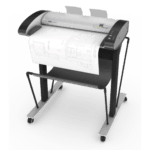
Yes. If you have older paper plans that need to be digitized, we offer large-format scanning up to 36″ × 48″. Files are delivered as PDF, TIFF, or JPEG.
This is a common request from contractors working with older homes — the original paper plans exist, but no digital file was ever made. We scan and digitize them so you have a clean file to work from and share.
See our full guide to large format scanning services in Oakville.